> For the complete documentation index, see [llms.txt](https://faq.tygapay.com/llms.txt). Markdown versions of documentation pages are available by appending `.md` to page URLs; this page is available as [Markdown](https://faq.tygapay.com/sepa-bank-accounts/beneficiaries.md).

# Beneficiaries

See the steps below to manage your beneficiaries.

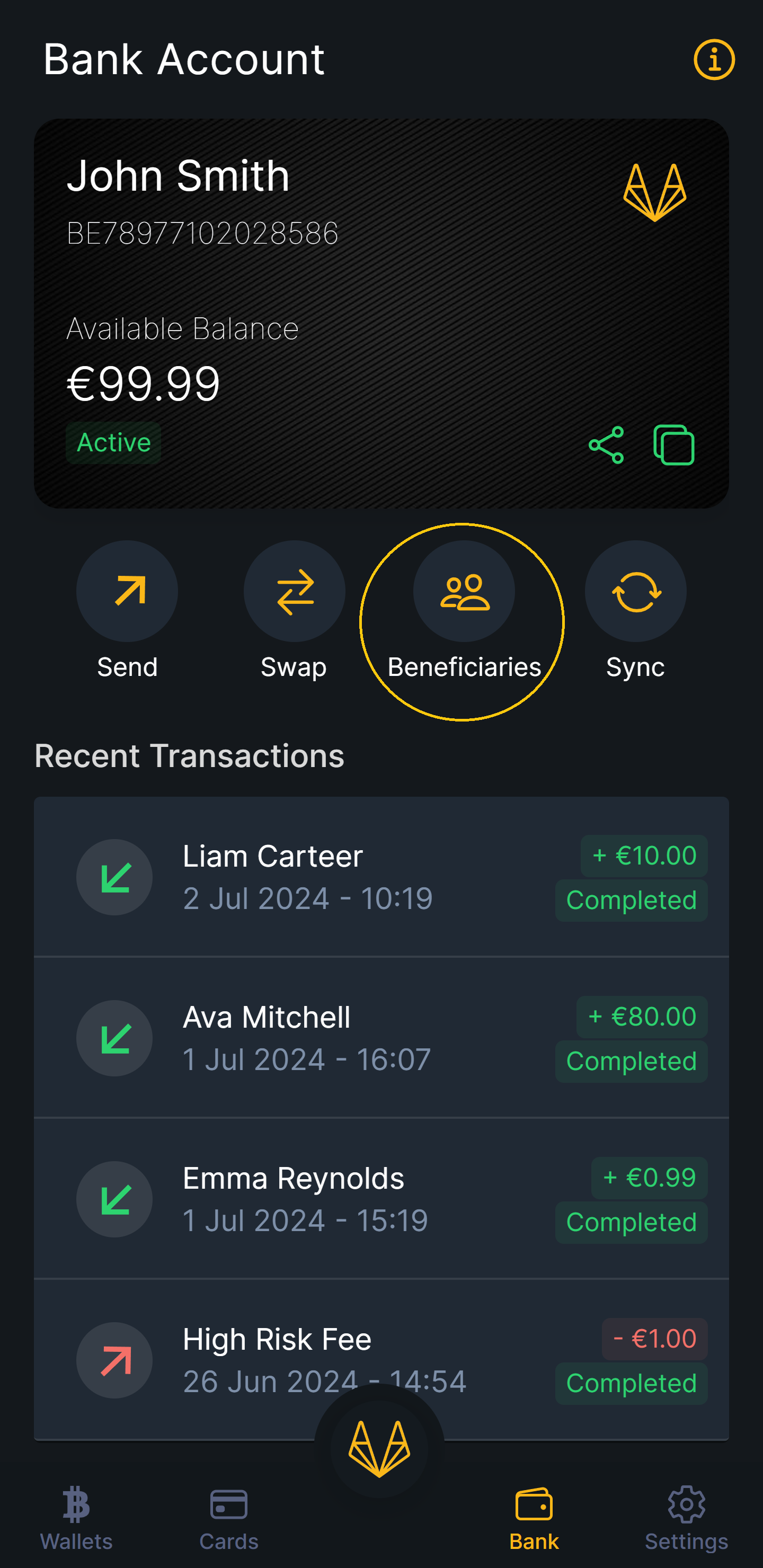
### 1. Access Beneficiaries

Click on the "Beneficiaries" button to view all your beneficiaries.
<figure><img src="https://3600526334-files.gitbook.io/~/files/v0/b/gitbook-x-prod.appspot.com/o/spaces%2F5X5qOJXBkAmpiBJb6AhJ%2Fuploads%2FsxSyMT84rybzdejWWb9j%2Fimage.png?alt=media&amp;token=4a40306b-5b35-410a-af63-9c33eb6ca8fe" alt="" width="375"><figcaption><p>Manage Beneficiaries</p></figcaption></figure>

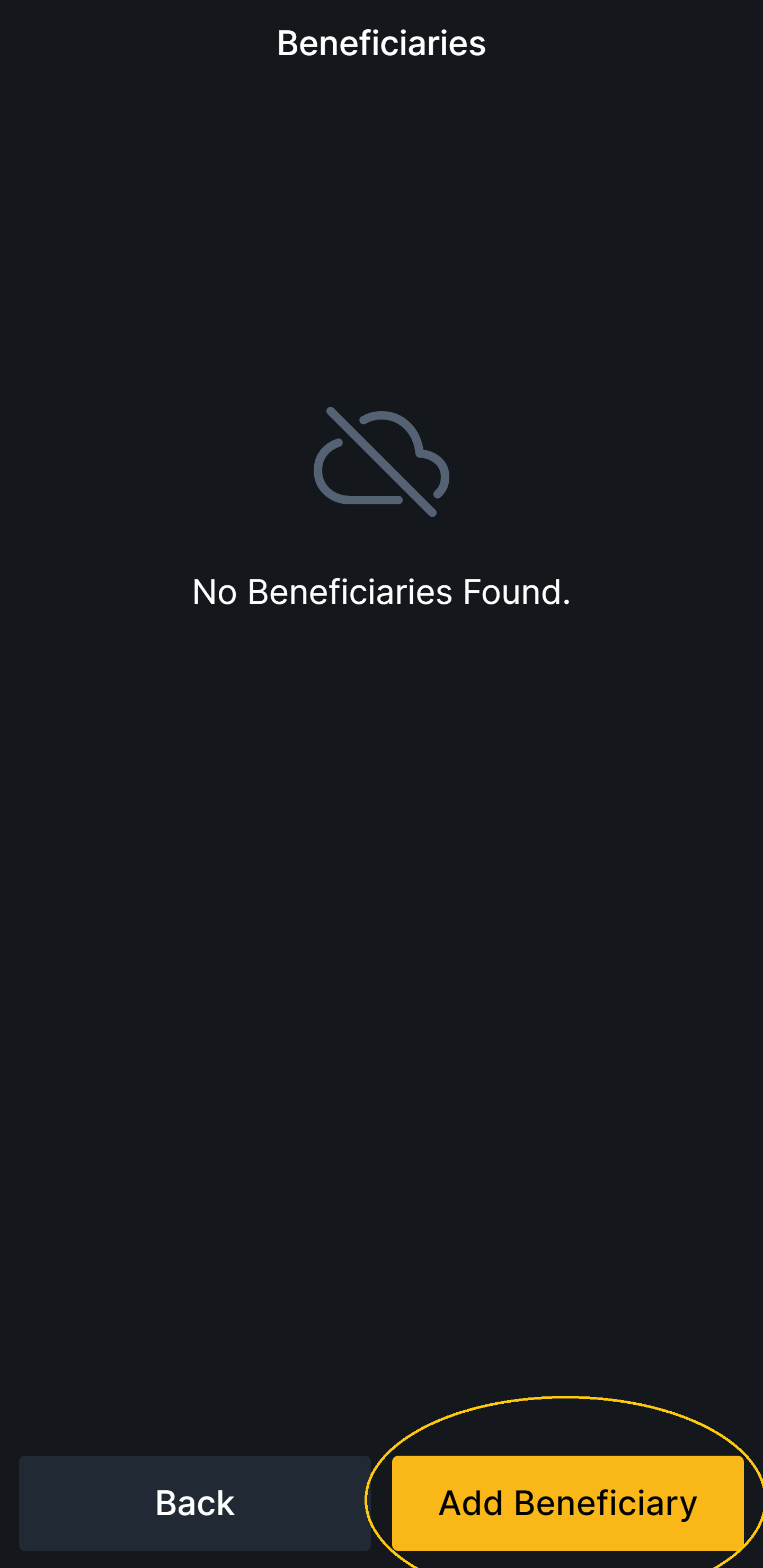
### 2. Add Beneficiary

Click on "Add Beneficiary" to add a new beneficiary.
<figure><img src="https://3600526334-files.gitbook.io/~/files/v0/b/gitbook-x-prod.appspot.com/o/spaces%2F5X5qOJXBkAmpiBJb6AhJ%2Fuploads%2FrCewBq2ozabC34c4W6qp%2Fimage.png?alt=media&amp;token=ab1a372d-9e4d-4396-82fd-1ba29df80b2f" alt="" width="375"><figcaption><p>Add Beneficiary</p></figcaption></figure>

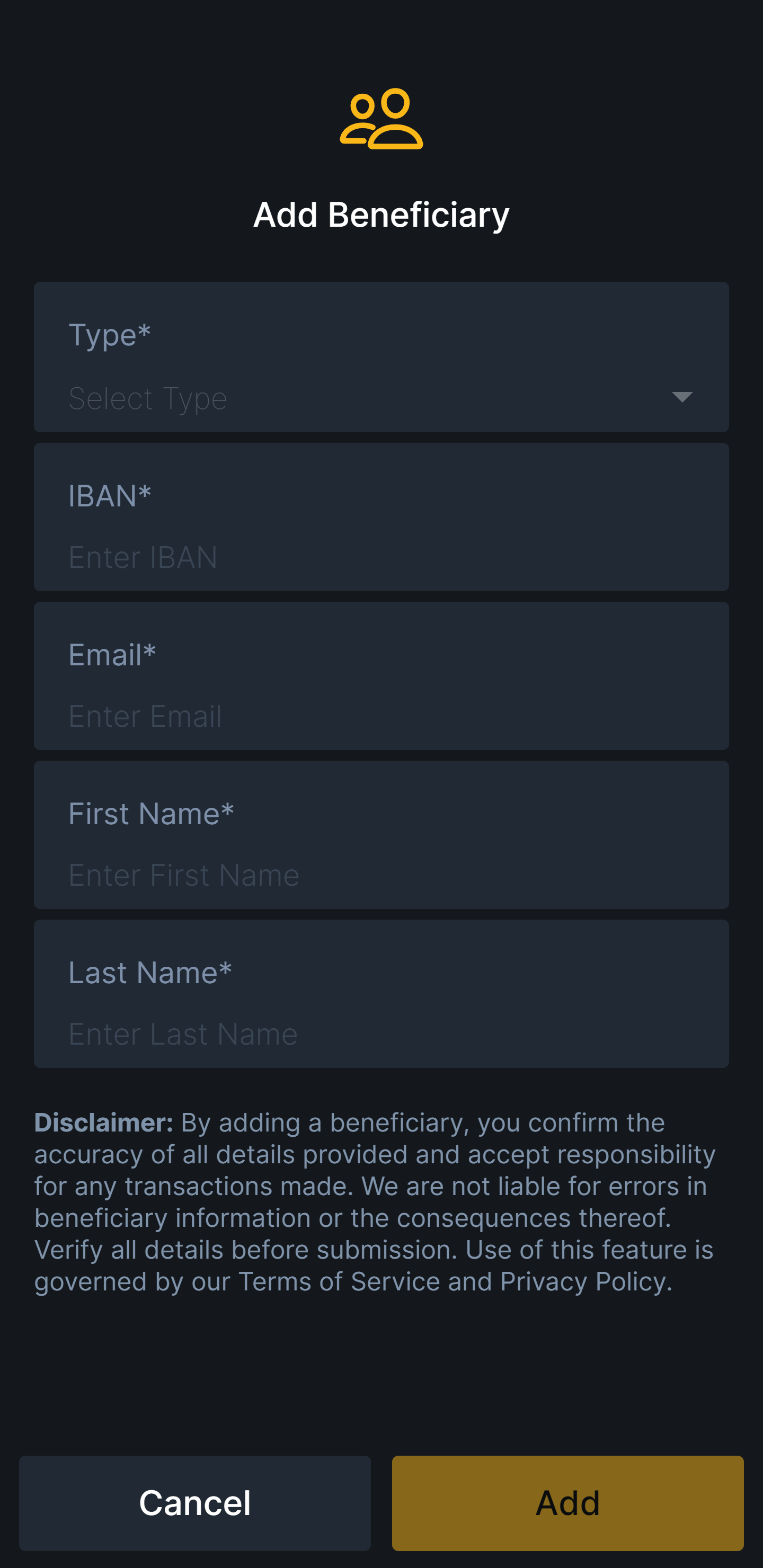
Enter the SEPA bank account information and click the "Add" button.
<figure><img src="https://3600526334-files.gitbook.io/~/files/v0/b/gitbook-x-prod.appspot.com/o/spaces%2F5X5qOJXBkAmpiBJb6AhJ%2Fuploads%2FqyQNHLkrq0byZMHqgwOl%2Fimage.png?alt=media&amp;token=b7722fa5-98e7-4e98-b96f-e8c7d2b4e100" alt="" width="375"><figcaption><p>Add Beneficiary Form</p></figcaption></figure>

### 3. Delete Beneficiary

Click the "X" button to delete a beneficiary.

<figure><img src="https://3600526334-files.gitbook.io/~/files/v0/b/gitbook-x-prod.appspot.com/o/spaces%2F5X5qOJXBkAmpiBJb6AhJ%2Fuploads%2FmlIxq0SxnBKHeRocX4CV%2Fimage.png?alt=media&amp;token=fab23f27-c114-47ad-a4f1-8404318ab7a3" alt="" width="375"><figcaption><p>Delete Beneficiary</p></figcaption></figure>
